
SpeedPlay Videos Ultimate | Transform images into premium, ultra-fast video players
Transform any image from your Media Library into an instant video player. Embed YouTube, Vimeo, TikTok, or ViQuick natively, ultra-fast, without affecting your website's performance.



Join over 500 agencies and developers
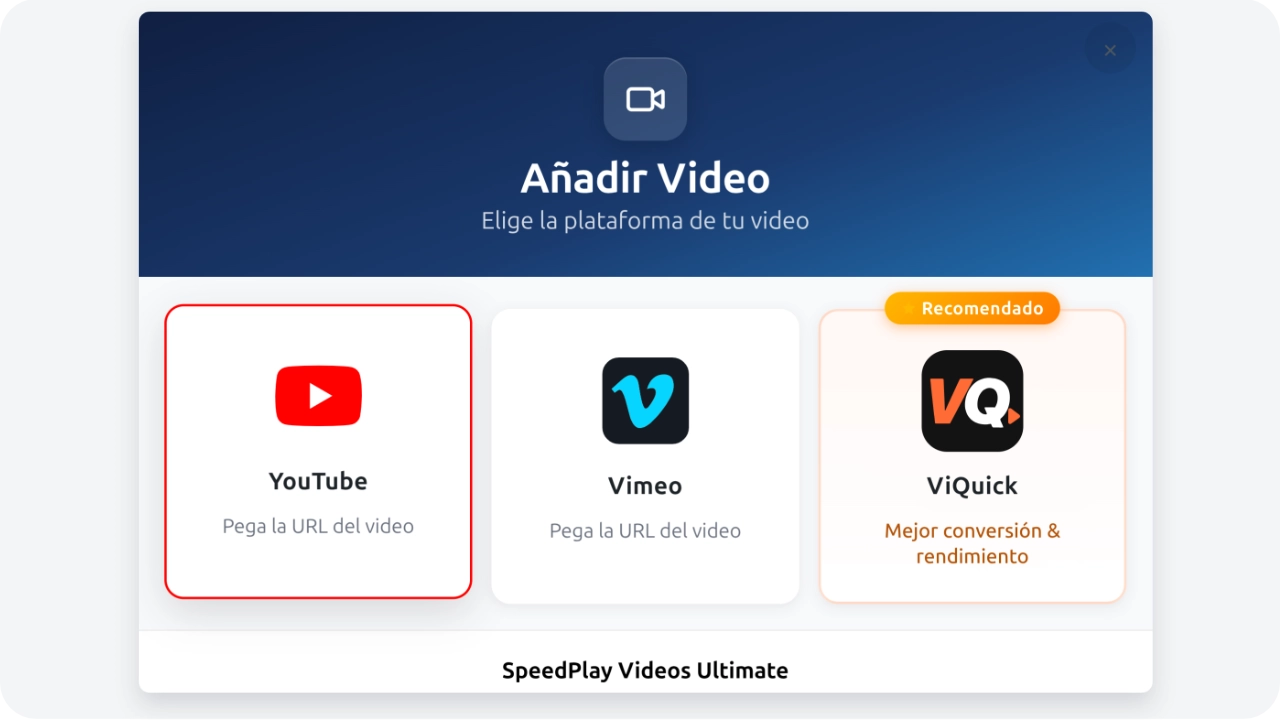
Add Video
Choose your video platform
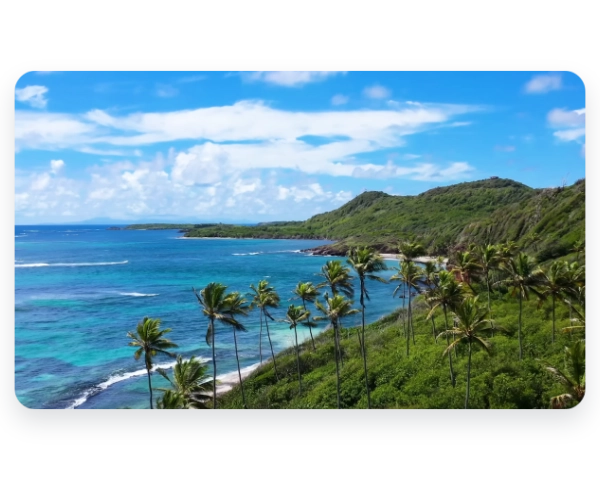
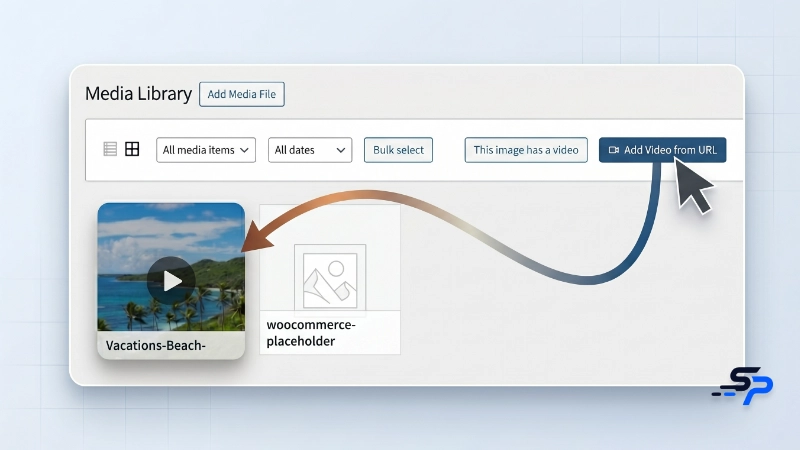
Add videos in seconds. Literally by copying and pasting a link.
You don't need to wrestle with incomprehensible shortcodes or hire a developer to edit your theme. Simply select any photo from your gallery, paste your video link, and SpeedPlay will make the magic happen instantly.
- ✓ ▶️ Auto Button: Your static image becomes a click magnet with an elegant play icon.
- ✓ 🔄 Hidden Galleries: Got a lot to show? Group several videos into a single image to keep your page design clean.
- ✓ 🎛️ Total Control: Adjust the behavior of all your videos from a single screen, saving you hours of clicking.
Video attracts customers, but your current player drives them away
Adding videos to WordPress shouldn't be a death sentence for your rankings. Classic methods break your mobile design and make Google penalize you for slowness. SpeedPlay gives you the visual freedom you need with flawless speed.
Other solutions
- ✕ The website freezes: They block your users' screen by loading heavy players ahead of time.
- ✕ SEO penalty: They sink your speed metrics, making you lose positions in Google.
- ✕ Waste of time: They force you to wrestle with shortcodes that are difficult to set up.
- ✕ Broken Design: They crop or distort videos when your customers view them from their cell phones.
With SpeedPlay Ultimate
- ✓ Instant Loading: Your page opens immediately. The video only consumes data if the user decides to click.
- ✓ Perfect Speed: Scores of 100/100 on Google's tests, without needing to touch any code.
- ✓ Premium Experience: The video opens in an elegant, modern window that highlights your content.
- ✓ Full Support: Paste any link from YouTube, Vimeo, Instagram, TikTok, or ViQuick and it will work like magic.
Add video playback to any image in your Media Library, without complications and with maximum performance.
The ultra-lightweight plugin allows you to add a video player to any image in your WordPress gallery without sacrificing a millisecond of performance on your server.
Use any image as a video cover and deliver a premium playback experience in seconds.
Forget complicated codes or installing heavy builders that break your site. Simply paste your video link over any image you already have on your page, and we do the rest.
- No settings: use the normal "Insert link" option.
- The "Play" button magically appears on your photo automatically.
- Works on blog posts, sales pages, and portfolios.
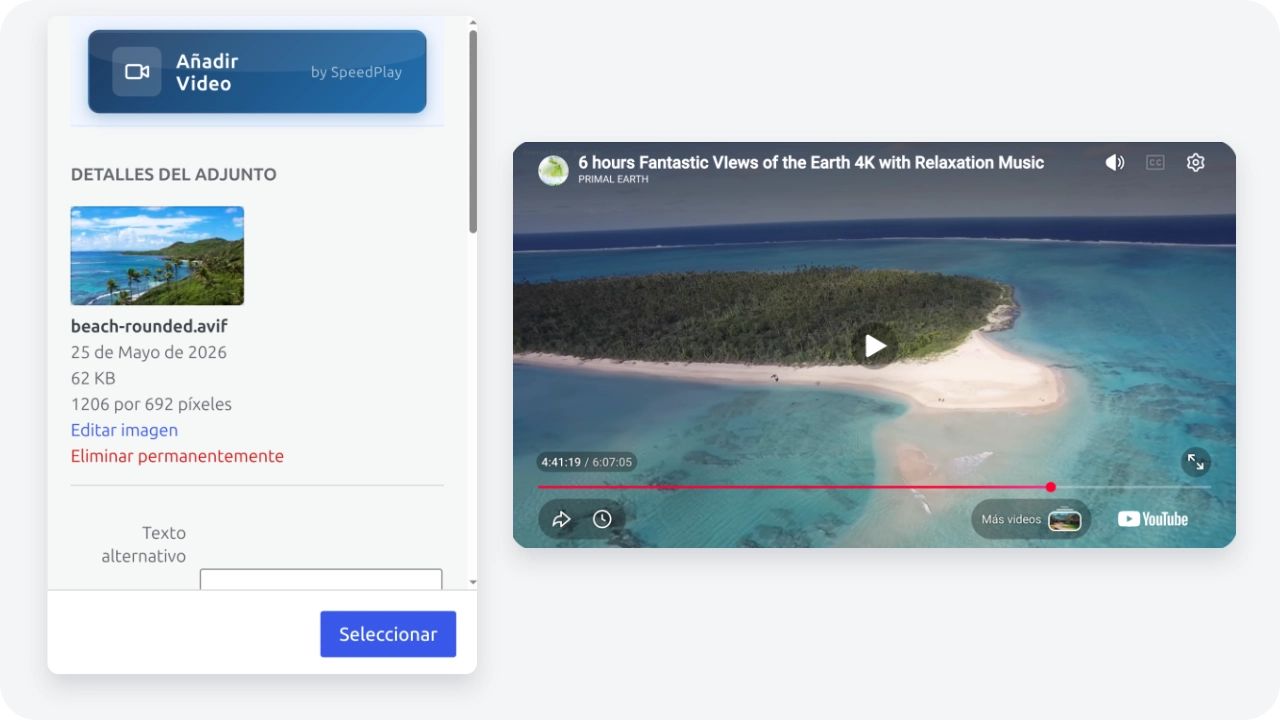
All your videos working in one place
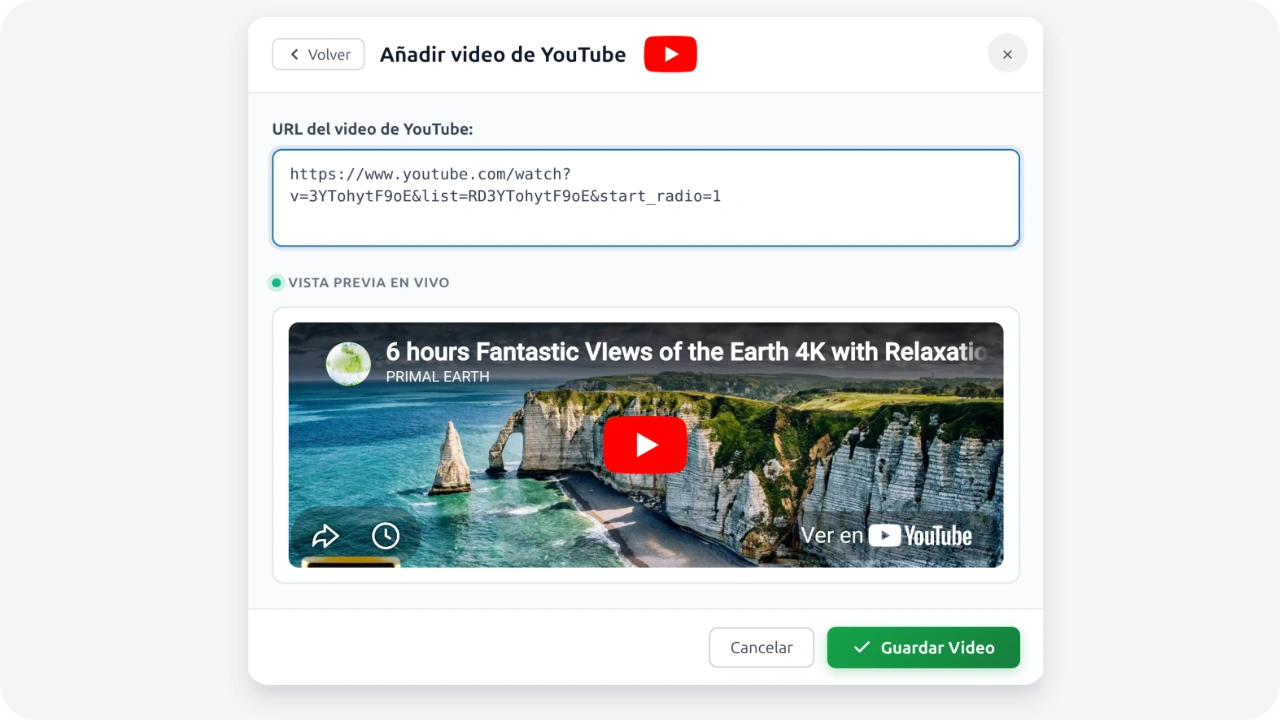
It doesn't matter where you store your videos. You can use links from YouTube, Vimeo, or conversion platforms like ViQuick. Your client will always see a unified and professional player.
- Advanced modal directly in your Media Library.
- Supports full HTML embed codes.
- Compatible with the most popular visual builders (Elementor, Bricks, Oxygen).
 YouTube
 Vimeo
Vimeo
 ViQuick
Your website will continue to load at lightning speed
Traditional plugins download the full video weight instantly, freezing your site. SpeedPlay is different: we only show the cover. The real video only consumes data when the user decides to click.
- Avoid useless downloads of YouTube or Vimeo scripts at startup.
- Non-blocking parser that prevents white screens (Zero WSOD).
- Immediate and measurable improvement in your Core Web Vitals metrics.
Structured immersive design to retain and sell.
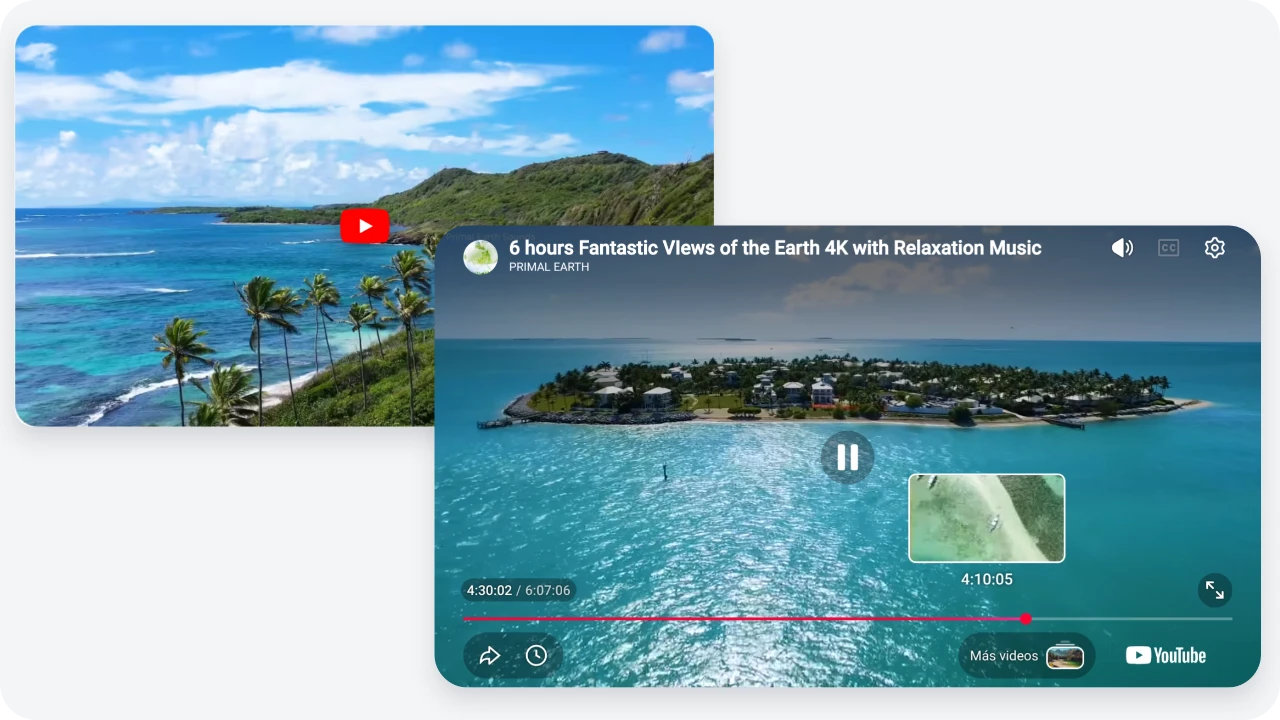
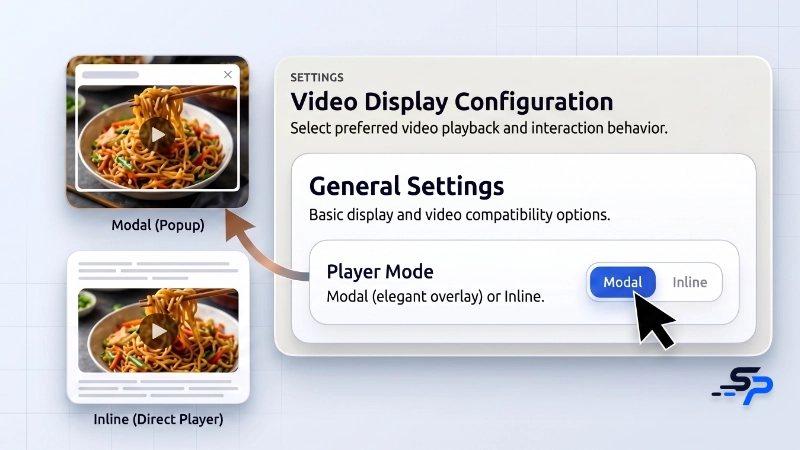
When your visitor clicks on the image, your YouTube, Vimeo, or ViQuick video unfolds in a professional full-screen window with a blurred background. We remove all distractions from your page to ensure they see your message to the end.
- We add an attractive "Play" button on your image so the client feels the immediate urge to click.
- The screen gently darkens around the player, removing any distractions so they hear your message to the end.
- The video starts instantly and plays without interruption, giving your clients a first-class experience.
All the visual power for your website. Zero lag.
SpeedPlay Ultimate is designed for creators and agencies who want total design freedom, ensuring that every visit turns into a customer without having to wait for the page to load.
All in One Place
Integrate YouTube, Vimeo, TikTok, Instagram, or ViQuick. All controlled from a minimalist interface that saves you hours of work.
Uncompromised Speed
The website doesn't slow down. The video weighs zero and only consumes resources when your customer decides to interact with it.
Free Yourself from Shortcodes
Turn any photo from your library into a video player instantly. Ideal for blogs and portfolios without touching a single line of code.
Tailored Design
Display your videos in an immersive window that eliminates distractions, or play them dynamically over the original image.
Capture Attention
Activate a silent preview when the customer hovers over it, inviting them to click and consume your content.
Perfect for Mobile
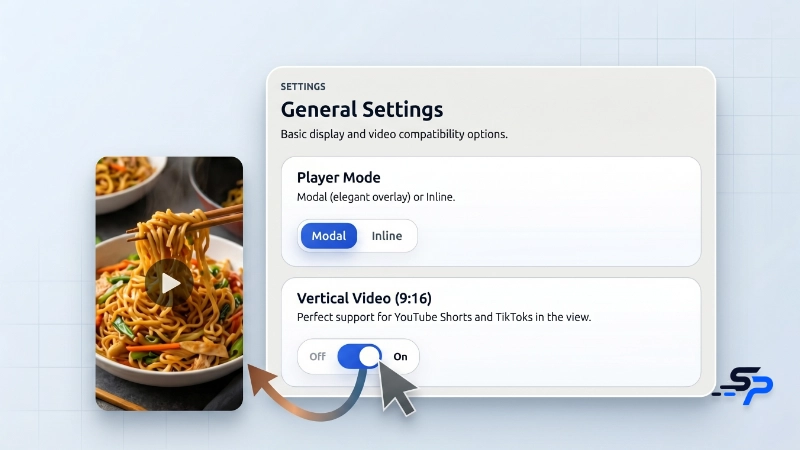
Your TikTok or Reels videos will look in perfect 9:16 format, without those ugly black bars on the sides.
Choose your plan and start today
Annual payment · Updates included · No hidden fees
Starter
Billed annually
- 1 site
- Gutenberg, Elementor, Bricks and Oxygen
- YouTube, Vimeo and ViQuick
- True lazy-load
- 1 year updates
- Email support
PRO
Billed annually
- 5 sites
- Gutenberg, Elementor, Bricks and Oxygen
- YouTube, Vimeo and ViQuick
- True lazy-load
- 1 year updates
- Priority support
Studio
Billed annually
- 10 sites
- Gutenberg, Elementor, Bricks and Oxygen
- YouTube, Vimeo and ViQuick
- True lazy-load
- 1 year updates
- Priority support
Agency
Billed annually
- 100 sites
- Gutenberg, Elementor, Bricks and Oxygen
- YouTube, Vimeo and ViQuick
- True lazy-load
- 1 year updates
- Personalized onboarding
- Dedicated support
14-day full refund guarantee. No risk.
Master all multimedia features
Quick setup to insert videos without breaking your PageSpeed.
Frequently Asked Questions
Transform every image into video today
Join the new standard of responsive and fast visual content. 1-minute installation, lasting impact.
Get SpeedPlay Ultimate14-day full refund guarantee. No risk.